Twenty-eight clients. Twenty-eight tracking logs.
One click each, in your Word template.
The claim form is half a submission. The weekly Client Tracking Log goes behind it — the narrative of what you actually did for that injured worker, day by day, in the wording you already wrote at 7:13 that morning. Med Claims Pro assembles it into your own .docx and files it in your own folder.
The second shift is not the billing. It is the writing.
The claim forms take twenty minutes. The tracking logs take the evening. You open last week’s document, save it under this week’s name, scroll your daily log for everything belonging to that one client, retype it in date order, fix the header dates, and do it again for the next client. Thirty of them.
Every sentence you are retyping already exists. You wrote it on Tuesday morning, in the grid, while the call was still in your head.
W3235 0.2 $16.38
Progress report drafted and sent [1:15pm–1:27pm] 12 min
One week, twenty-eight clients, twenty-eight logs.
It is your template and your sentences. Both, literally.
Your tracking log has your headings, your practice letterhead, your table widths and the spacing you settled on years ago. The app fills that document. It does not rebuild it, does not restyle it, and does not have a house format of its own to impose.
And the words inside it are yours. The narrative is the notes you wrote in the grid, placed under the right dates in the right order. Nothing is invented, nothing is paraphrased, and no software writes clinical narrative on your behalf — your name is on that document and your license is behind it.
What the software does is the clerical half: gathering, ordering, dating, naming, filing.
What is generated, and from what
- The narrative
- Your note text, verbatim, from the daily entries for that client and week.
- The grouping
- By date of service, in order, with the headings your template uses.
- The header block
- Client name, claim number, payer, week ending — from the client record.
- The time detail
- Your bracket style, kept consistent with the minutes you recorded.
- The file
- A real .docx in your folder, named your way, editable in Word before it goes.
YOUR PRACTICE LETTERHEAD
Weekly Client Tracking Log
Injured worker: Roe, Mary K. · Claim: 26-901405 · MCO: AultComp · Week ending: 7-24-2026
Monday, 7-21-2026 — W3235, 0.2 units
Progress report drafted and sent to the MCO. [1:15pm–1:27pm] 12 min.
Wednesday, 7-23-2026 — W3220, 0.1 units
Received and reviewed the ES notes; updated the plan file. [9:04am–9:10am] 6 min.
The same sentences you typed in Tuesday’s grid, placed under the right dates in your own .docx — not a lookalike we generated, and not one word of clinical narrative the software wrote for you.
A billing service bills. It has never written your logs.
This is the part of the week that nobody will take off your hands at any percentage, because it is not billing — it is documentation, and it is professional work with your credentials attached. Which is exactly why software that only makes claim forms was never going to give you your Sunday back.
What a 6% service takes off your plate
The claim form. The submission. The follow-up call. On $13,600 of monthly billings that is $816 a month, and it is real work — but it is the twenty-minute half.
What no service takes
The weekly narrative for every client on your caseload. The wording the payer expects. The document that has to be in the packet for the bill behind it to make sense. That is the evening — and that is the one this page is about.
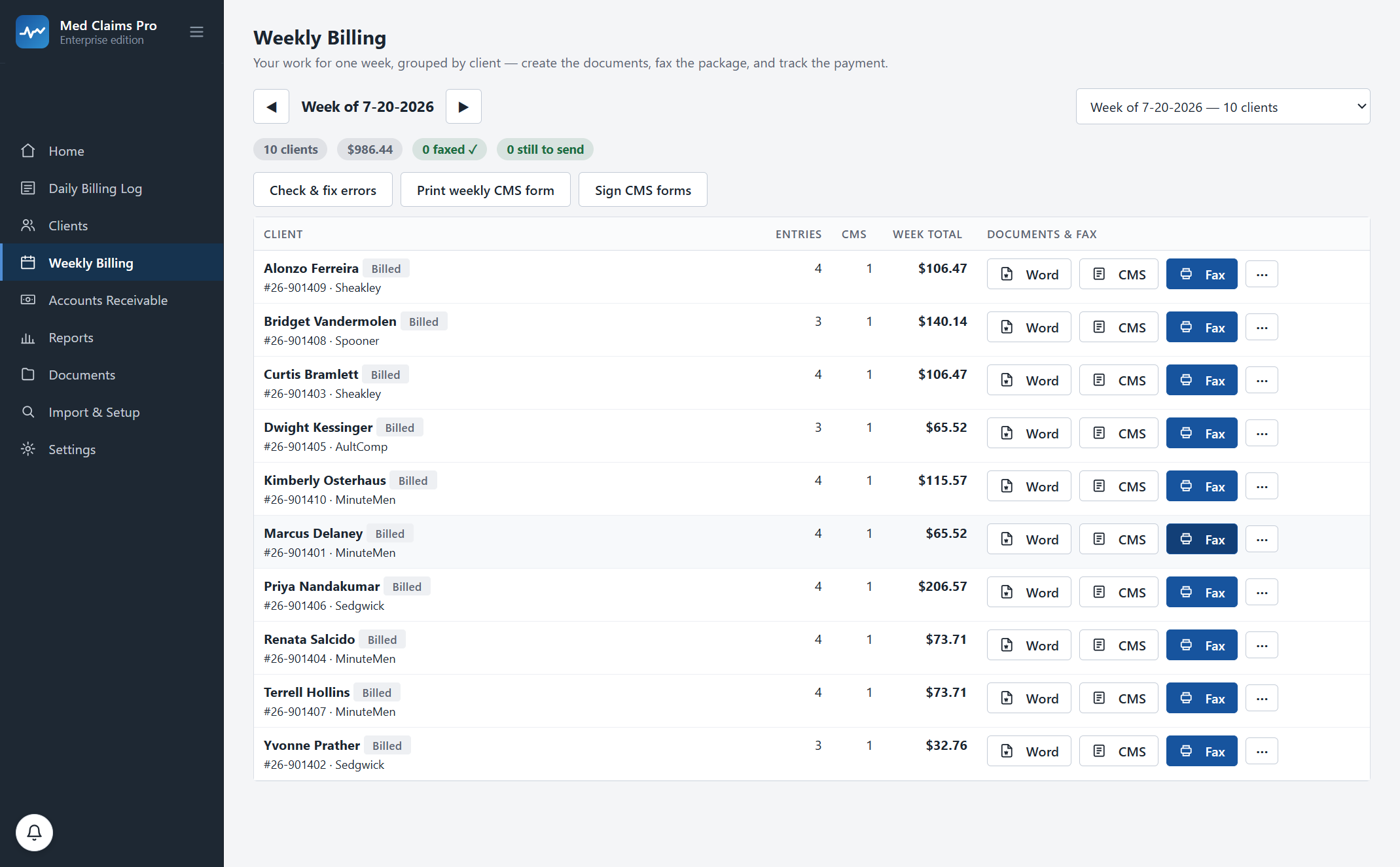
Ten clients, ten logs, one click, in the template you already use. Then the same click makes the claim forms and the fax cover sheet.
“How do I know what got filed matches what I did?”
Because the app checks, every week, and says so out loud. It reads the tracking log it actually filed, the claim forms it actually generated and the receivable it actually opened, and compares all three against the daily entries they came from.
Agreement, stated
“Checked 10 client-weeks — your daily log, Word notes, CMS totals and AR all agree.” When that is true, the home screen says it in those words.
Disagreement, itemized
When a filed log is missing an entry you added later, you get the client, the week and the difference — not a red dot. Check & fix lists every correction it made.
The archive is the truth
The check reads the documents on disk, not a database record of what should be on disk. A file someone edited in Word is compared as it now stands.
“My template is not like anyone else’s.”
Nobody’s is. Yours was shaped by eleven years of one MCO asking for something and another asking for it differently, and it works.
During onboarding we configure Med Claims Pro to your actual .docx — heading for heading, table for table — along with your folders, your file-naming convention, your payers and your state’s codes. It is included in every plan and it is the first week’s work, not a change order.
Bring one real week to the demo and watch your own template come out the other end. Or call and ask; a person answers: (302) 202-3172.
Different payer, different log
- Per-payer templates
- Each MCO, carrier or TPA can carry its own wording and layout.
- Per-case-type wording
- Job Retention, Self-Insured and Remain-at-Work cases can each read the way that payer expects.
- Your naming
- Week-ending date, client name, initials — whatever your folder already sorts by.
- Your review
- Every log opens in Word before it is sent. Nothing goes out that you have not seen.
Questions, answered.
Does the software write the narrative for me?
No, and it should not. The tracking log contains the notes you wrote yourself in the daily grid, grouped by date and formatted into your template. The software does the gathering, ordering, dating, naming and filing — the clerical half. The professional wording stays yours.
Can I edit a log after it is generated?
Yes. It is an ordinary Word document in your own folder. Open it, change it, save it. The weekly check then compares the document as it now stands against your daily entries, so an edit never quietly puts the log and the bill out of step.
What if I add an activity after the log was already generated?
Regenerate it and the new entry is in it, in date order. If that week has already been billed and sent, the app tells you what changed rather than silently reissuing a document that no longer matches the claim form you filed.
Where do the files go?
Into your existing client folders — the Billing Info or weekly-logs folder you already use — under your existing naming convention. A new client gets that folder set created the same way. Nothing is renamed or moved without your say-so.
Can different payers get different tracking logs?
Yes. Templates are per payer and per case type, so an MCO that wants one layout and a self-insured employer that wants another can both be served from the same week of entries.
Is this the same thing as case notes in a case-management system?
No. Case-management systems keep notes for you to read. This produces the billable weekly document your payer expects behind the claim form, in your format, ready to fax with the bill. That is why it lives next to the CMS-1500 rather than in a notes tab. How the claim form is built.
See your own week run itself.
We load your state’s codes before the call, so you are looking at a caseload like yours inside the first two minutes — not a slide deck.