Your Excel. Your Word. Your fax line.
Matched, not replaced.
Nothing here asks you to move house. Your daily log is still an .xlsx you can open and type into, your tracking log is still your own Word template with your own headings, and your faxes go out of your own RingCentral number. Below that, an honest list of what is not connected.
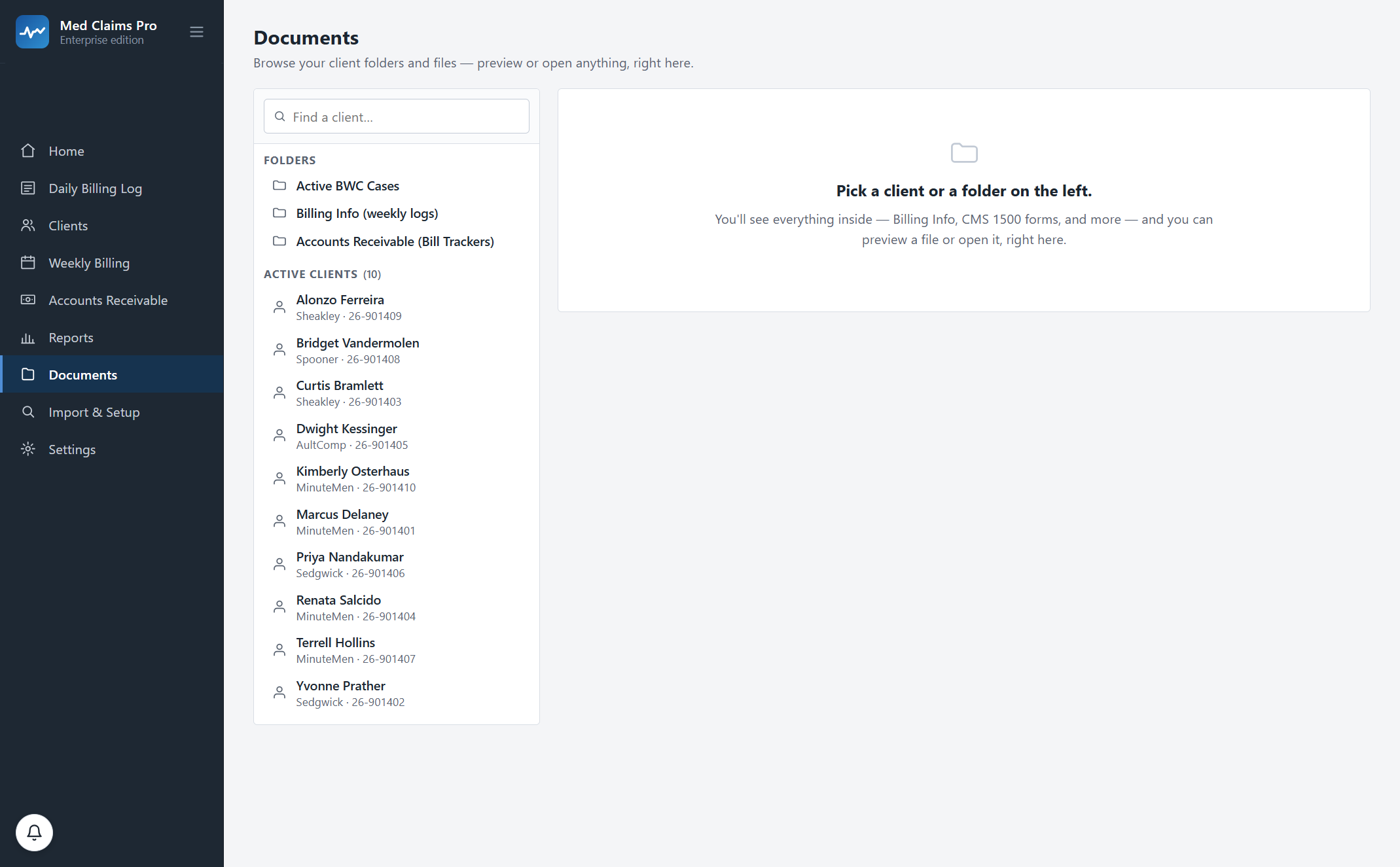
It is still an Excel file. It is still your Word template.
This is the integration that matters most and gets talked about least: the software does not have “an Excel export”. It writes the workbook you already keep, and it reads your edits back out of it.
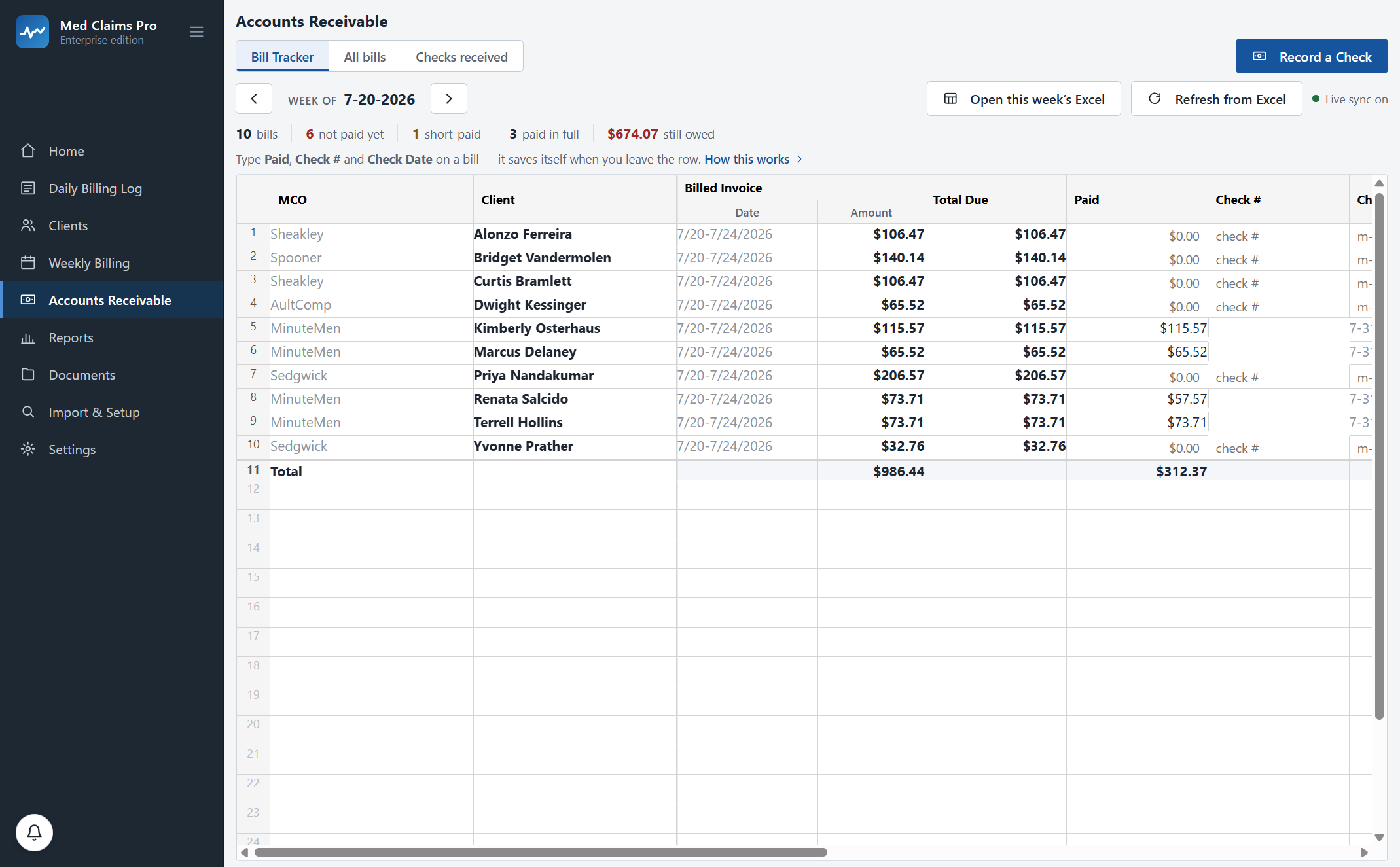
The daily log writes itself
As you type activities, the dated .xlsx daily billing log is written into your own folder — live, not on export. Fourteen columns in the order your daily log uses, fitted during onboarding. Open it mid-afternoon and the morning is already in it.
Your Word template, matched
The weekly tracking log is generated to reproduce your own .docx — your headings, your spacing, your narrative style — rather than a lookalike we designed. Onboarding tunes it against your real document. One click per client per week, filed under your naming.
Readable without us
Every file is an ordinary Office file in an ordinary folder. It opens in Word and Excel with no license, no plug-in and no account — today, and in ten years. That is the whole reason to keep the round-trip honest.
RingCentral, from the account you already have.
The claim packet goes out in one click through your own RingCentral fax account, with your number on the header and the cover text written from your payer list — the right MCO, the right fax number, the right claim number, the billing week. RingCentral renders the cover page itself. A dated submission record carrying the fax message id is written into that claimant’s folder, and RingCentral’s own confirmation page goes in beside it — which is the piece of paper the whole timely-filing question turns on.
We are not a fax service. Your transmissions are yours, on your account, on your bill, and nothing routes through us.
For your accountant: a workbook, not a sync.
Most people in this field re-type their billing into accounting software once a month. That is real work and we are not going to pretend it is solved.
What exists today is an export: billed, paid and outstanding by client, by payer and by period, as an ordinary spreadsheet with the columns a bookkeeper reads. It goes to your accountant as an attachment, or you import it. For a monthly close it removes most of the retyping, and it costs nothing extra on any plan.
What does not exist is a live connection to any accounting package. There is no QuickBooks sync, no Xero, no Sage and no Quicken. Nothing pushes an invoice into your books while you watch.
A proper accounting export — mapped to your own chart of accounts, so the import is one step rather than a reformat — is the next integration we intend to build. It is not built. If it would change your decision, say so on the call and we will tell you honestly where it is.
What connects, and what that means
- Excel
- Two-way, live. The app writes your workbook; you can type in the workbook and the app reads it back.
- Word
- Your headings, your formatting, your wording, reproduced — the document is generated to match your template rather than a lookalike we designed. Tuned against your real .docx during onboarding.
- RingCentral
- Your own fax account and number. One click sends the packet and files a dated submission record with the fax message id; you add RingCentral’s confirmation page.
- OneDrive
- Nothing to connect — documents land in your Documents folder and your existing sync carries them.
- Your accountant
- An exported workbook of billed, paid and outstanding. Not a live sync to any accounting package.
Bring your own workbook and your own Word template to the demo and watch them get filled. Fifteen minutes. Or call and ask: (302) 202-3172.
Questions, answered.
Do you connect to QuickBooks?
No. There is no QuickBooks sync, and there is no Xero, Sage or Quicken sync either. What you get today is an exported workbook — billed, paid and outstanding by client, payer and period — that your accountant can read or import. A proper accounting export mapped to your own chart of accounts is the next integration we intend to build, and it is not built yet. We would rather tell you that than sell you a connector that does not exist.
So how do I get my billing into my accounting software?
You export the workbook and import or hand it over. For a monthly close that removes most of the retyping, and it is included on every plan at no extra cost. It is not the same as a live sync and we are not going to call it one.
Do I need a RingCentral account to send faxes?
Yes — the fax goes out through your own account and your own number, which is how the confirmation ends up being your evidence rather than ours. RingCentral is the only fax service connected today; if you already pay for eFax, SRFax, Documo or another provider, one-click sending will not work for you yet. Tell us which one you use.
Can I keep editing the spreadsheets by hand?
Yes, and people do. The daily log and the Bill Tracker are real .xlsx files in your folders. Type into them if that is faster; Refresh from Excel reads your edits back into the app. Neither the app nor the workbook is the master copy.
Do you connect to MCO portals or a clearinghouse?
No. Direct e-billing through a workers'-comp clearinghouse is not built. Where a payer takes a portal upload, the software generates the form and attachments and files them in the claimant’s folder ready to go, and you upload them yourself — we do not want to hold your portal credentials.
Does my client data leave my computer?
No. Claim numbers, activity notes, tracking logs and CMS-1500s stay in the local database and the folders on your own machine. Our server holds your license record and nothing else. Where everything lives →
See your own week run itself.
We load your state’s codes before the call, so you are looking at a caseload like yours inside the first two minutes — not a slide deck.